


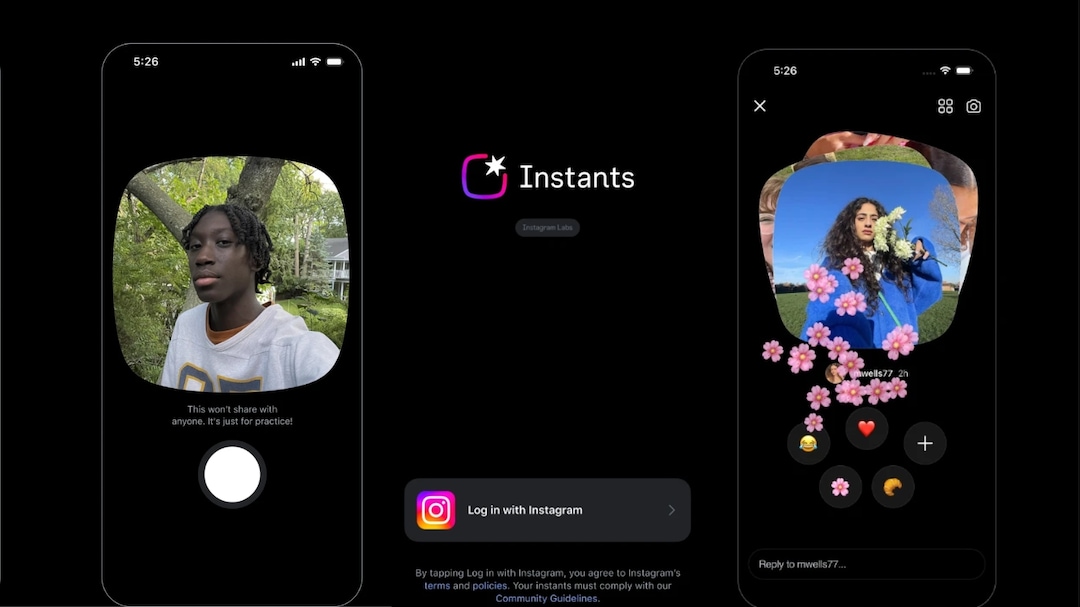
If you have been active on Instagram recently, you must have noticed that the photo-sharing app has just launched a new feature called “Instants.” The social media platform describes it as “a new way to share in the moment – with spontaneous, unfiltered photos– with friends”. Basically, it’s like sending a Snapchat to all your followers. The feature, introduced by Meta Platforms-owned Instagram, allows users to send temporary photos directly through the app’s inbox.
“We want to make it easier to share in the moment with friends — so we’re introducing Instants, a new way to share casual, everyday photos that disappear after your friends view them. Instants live in the bottom right corner of your Instagram inbox, and with a simple tap of the camera, you can share photos with close friends or mutuals (followers you follow back). No edits, no pressure, just life as it happens,” Instagram said while announcing the feature.
However, the feature has sparked confusion and privacy concerns after many users accidentally shared photos because images are sent immediately once the shutter button is tapped.
What are Instagram Instants?
Instagram Instants is a real-time photo-sharing feature available inside Instagram’s direct messages section. Users can access it by tapping the mini photo stack in the bottom-right corner of the inbox, which immediately opens the camera.
Once a photo is captured, it is automatically shared with selected recipients, either Close Friends or mutual followers. The images disappear after being viewed and cannot be replayed. Replies to Instants are delivered directly through DMs.
Instagram also stores Instants in the archive for up to a year, allowing users to later share recaps to Stories.
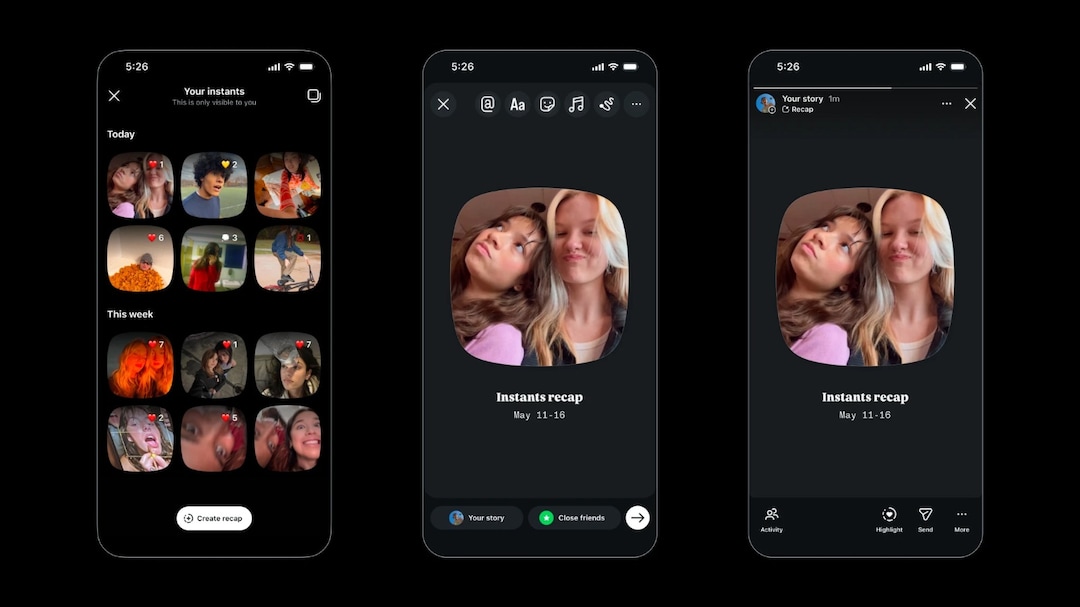
Photo Credit: Instagram
Users react to the feature
However, because the feature sends photos instantly without requiring confirmation, many users expressed concern over accidental sharing and lack of clear instructions. Several users took to social media to criticise the update and search for ways to disable it.
“What is this new weird instant feature on Instagram now? Feel like it’s gonna tank soon,” said a user.
What is this new weird instant feature on Instagram now?
feel like it’s gonna tank soon pic.twitter.com/WlTHMSWfpv— Rohit (@rxhit05) May 15, 2026
Another posted, “How to turn off the very terrible IG instants update feature.”
How to turn off the very terrible IG instants update feature pic.twitter.com/LrVnh2HHCE
— Jami (@createdbyjami) May 14, 2026
“Guys how do I delete the “Instagram instant,” asked a user.
Guys how do I delete an “Instagram instant”
— LivLaugh44❤️???? (@LivLaugh44) May 13, 2026
An individual questioned, “How do we turn this feature off?”
How do we turn this feature off?
— Jcoorey (@Jcoorey) May 13, 2026
Here’s how to turn off Instagram Instants:
Users who do not want to use the feature can disable it through Instagram settings by following these steps:
- Step 1: Open Instagram and go to your profiles.
- Step 2: Click on the three lines in the top right corner to open the Settings.
- Step 3: Scroll down to “Content Preferences.”
- Step 4: Find the “Hide Instants in Inbox” option.
- Step 5: Turn the option off to remove Instants from the inbox and stop receiving them from others.
Instagram also offers a temporary alternative. Users can press and hold the Instants pile in the inbox and swipe right to temporarily mute or hide Instants without fully disabling the feature.
How to unsend or delete shared Instants?
Instagram allows users to retract Instants before recipients open them. After sending a photo, an “Undo” button appears below the shutter button. Tapping it immediately removes the shared image if it has not yet been viewed.
Users can also remove shared Instants through the archive section by following these steps:
- Open the Instants camera
- Tap the four-box icon in the top-right corner
- Open the archive
- Select the shared Instant
- Delete it to unsend the image
- The deletion only works if the recipient has not already opened the photo
ALSO READ | Grok Down: Users Report Login Issues With Elon Musk’s AI Chatbot
Essential Business Intelligence,
Continuous LIVE TV,
Sharp Market Insights,
Practical Personal Finance Advice and
Latest Stories — On NDTV Profit.